Pourquoi créer un module PowerShell ?
Regrouper vos fonctions en module présente plusieurs avantages : import en une ligne, versioning indépendant, distribution via PSGallery ou un feed interne Artifacts, documentation automatique et tests unitaires intégrés.
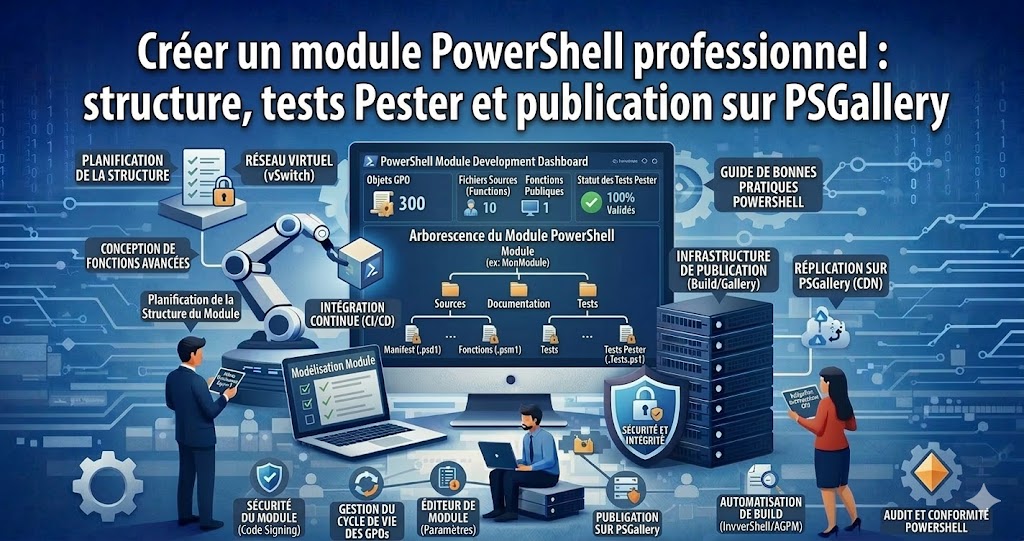
1. Structure d'un module professionnel
TechByHM.Infrastructure
├── TechByHM.Infrastructure.psd1   # Manifeste du module
├── TechByHM.Infrastructure.psm1   # Loader principal
├── Public                        # Fonctions exportées (accessibles à l'utilisateur)
│   ├── Get-ServerInventory.ps1
│   ├── Export-ADUserReport.ps1
│   └── Invoke-PatchCompliance.ps1
├── Private                       # Fonctions internes (non exportées)
│   ├── Connect-SecureDB.ps1
│   └── Format-ByteSize.ps1
├── Tests                         # Tests Pester
│   ├── Public
│   │   └── Get-ServerInventory.Tests.ps1
│   └── Private
│       └── Format-ByteSize.Tests.ps1
└── Docs                          # Documentation markdown (platyPS)
    └── Get-ServerInventory.md
2. Créer le manifeste (.psd1)
New-ModuleManifest -Path ".TechByHM.Infrastructure.psd1" `
    -RootModule         "TechByHM.Infrastructure.psm1" `
    -ModuleVersion      "1.0.0" `
    -Author             "Hussein Makhzoum" `
    -CompanyName        "TechBy HM" `
    -Description        "Module d'outils d'administration infrastructure Microsoft" `
    -PowerShellVersion  "5.1" `
    -RequiredModules    @("ActiveDirectory", "Az.Compute") `
    -FunctionsToExport  @("Get-ServerInventory", "Export-ADUserReport", "Invoke-PatchCompliance") `
    -Tags               @("Azure", "ActiveDirectory", "Infrastructure", "Administration") `
    -ProjectUri         "https://github.com/hmakhzoum/TechByHM.Infrastructure" `
    -LicenseUri         "https://github.com/hmakhzoum/TechByHM.Infrastructure/blob/main/LICENSE"
3. Loader .psm1
# TechByHM.Infrastructure.psm1
# Charger toutes les fonctions privées
Get-ChildItem -Path "$PSScriptRootPrivate*.ps1" -ErrorAction SilentlyContinue |
    ForEach-Object { . $_.FullName }

# Charger et exporter les fonctions publiques
Get-ChildItem -Path "$PSScriptRootPublic*.ps1" -ErrorAction SilentlyContinue |
    ForEach-Object {
        . $_.FullName
        Export-ModuleMember -Function $_.BaseName
    }
4. Exemple de fonction publique documentée
function Get-ServerInventory {
<#
.SYNOPSIS
    Collecte un inventaire matériel et logiciel d'un ou plusieurs serveurs Windows.

.DESCRIPTION
    Interroge WMI/CIM pour récupérer OS, CPU, RAM, disques et informations réseau.
    Supporte le ciblage multiserveurs en parallèle via PSRemoting.

.PARAMETER ComputerName
    Nom(s) du ou des serveurs à inventorier. Défaut : localhost.

.PARAMETER ExportCsv
    Chemin de sortie du rapport CSV. Si omis, retourne les objets dans le pipeline.

.EXAMPLE
    Get-ServerInventory -ComputerName SRV-WEB01, SRV-DB01 -ExportCsv C:Reportsinv.csv

.EXAMPLE
    $servers = Get-ADComputer -Filter * -SearchBase "OU=Servers,DC=contoso,DC=com" |
               Select-Object -ExpandProperty Name
    Get-ServerInventory -ComputerName $servers
#>
    [CmdletBinding()]
    param (
        [Parameter(ValueFromPipeline, ValueFromPipelineByPropertyName)]
        [string[]] $ComputerName = $env:COMPUTERNAME,

        [Parameter()]
        [string] $ExportCsv
    )

    $results = Invoke-Command -ComputerName $ComputerName -ScriptBlock {
        $os   = Get-CimInstance Win32_OperatingSystem
        $cpu  = Get-CimInstance Win32_Processor
        $bios = Get-CimInstance Win32_BIOS
        $nic  = Get-CimInstance Win32_NetworkAdapterConfiguration | Where-Object IPEnabled

        [PSCustomObject]@{
            Serveur       = $env:COMPUTERNAME
            OS            = $os.Caption
            ServicePack   = $os.ServicePackMajorVersion
            Architecture  = $os.OSArchitecture
            CPU           = $cpu.Name
            NbCoeurs      = $cpu.NumberOfLogicalProcessors
            RAM_Go        = [math]::Round($os.TotalVisibleMemorySize / 1MB, 1)
            RAM_Libre_Go  = [math]::Round($os.FreePhysicalMemory / 1MB, 1)
            IP            = ($nic.IPAddress | Where-Object { $_ -match "^d+" }) -join ", "
            SerialNumber  = $bios.SerialNumber
            Uptime_Jours  = [math]::Round(((Get-Date) - $os.LastBootUpTime).TotalDays, 1)
        }
    } -ErrorAction SilentlyContinue

    if ($ExportCsv) {
        $results | Export-Csv -Path $ExportCsv -NoTypeInformation -Encoding UTF8
        Write-Host "[OK] Rapport exporté : $ExportCsv"
    } else {
        return $results
    }
}
5. Tests unitaires avec Pester v5
# TestsPublicGet-ServerInventory.Tests.ps1
BeforeAll {
    Import-Module "$PSScriptRoot....TechByHM.Infrastructure.psd1" -Force
}

Describe "Get-ServerInventory" {

    Context "Exécution locale" {
        It "Retourne un objet avec les propriétés attendues" {
            $result = Get-ServerInventory -ComputerName localhost
            $result | Should -Not -BeNullOrEmpty
            $result.Serveur    | Should -Not -BeNullOrEmpty
            $result.RAM_Go     | Should -BeGreaterThan 0
            $result.NbCoeurs   | Should -BeGreaterThan 0
        }

        It "Le nom du serveur correspond à l'environnement local" {
            $result = Get-ServerInventory
            $result.Serveur | Should -Be $env:COMPUTERNAME
        }
    }

    Context "Export CSV" {
        It "Crée le fichier CSV si ExportCsv est fourni" {
            $tmp = [System.IO.Path]::GetTempFileName() -replace ".tmp", ".csv"
            Get-ServerInventory -ExportCsv $tmp
            Test-Path $tmp | Should -BeTrue
            Remove-Item $tmp -Force
        }
    }
}

# Lancer les tests
Invoke-Pester -Path ".Tests" -Output Detailed -PassThru
6. Publier sur PowerShell Gallery
# Vérifier le module avant publication
Test-ModuleManifest ".TechByHM.Infrastructure.psd1"

# Publier (requiert un compte PSGallery et une API Key)
$apiKey = Read-Host "Entrez votre PSGallery API Key" -AsSecureString
Publish-Module -Path ".TechByHM.Infrastructure" `
               -NuGetApiKey (ConvertFrom-SecureString $apiKey -AsPlainText) `
               -Verbose

# Installation depuis n'importe quelle machine
Install-Module -Name TechByHM.Infrastructure -Repository PSGallery -Force
Conclusion
Un module PowerShell bien conçu — avec manifeste, séparation public/privé, tests Pester et documentation — est un actif durable. Partagez vos outils sur PSGallery ou un feed Azure Artifacts privé pour uniformiser les pratiques d'administration de toute votre équipe IT.